
We did a simple Weather query app which gets weather data from a public API (http://api.openweathermap.org). We also create a simple UI to query weather of a city. This document explains how you can evaluate the complete system step by step. With these steps you will be evaluated all 3 components of Livo:
- Client container
- Middleware & service integration
- Development IDE
Client Container
Livo container is a Apache Cordova based native mobile app which encapsulates and renders your HTML5 web application, and also enables native device functions to your app.
Here is the Android container link. Download it on your Android device and install.
https://www.dropbox.com/s/egrj2t1i97q3tai/Livo%20%283%29.apk?dl=0
Because of strict Apple policies we recommend you to use Android device for evaluation.
Please note that, we have different kind of containers and here we are explaining a generic Livo container that give you flexibility to choose any app from any server. Once you download it and install on your Android device please go to Settings at the right corner and setup followings:
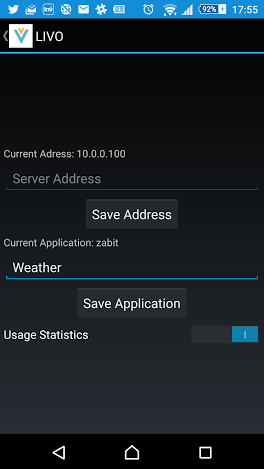
Server Address: demo.livomobile.com
Application Name: Weather
Then go back and login the app:
Company ID : Admin
Company Secret : Admin
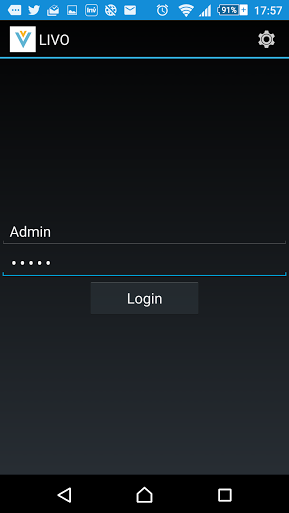
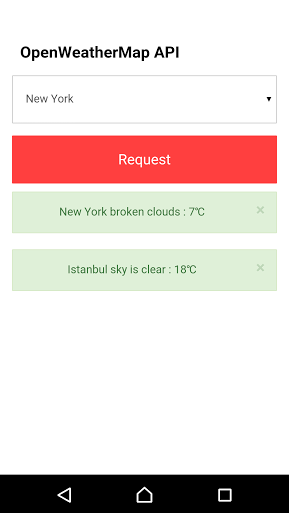
If everything goes well the container will start to download app from the server. After download finished, choose a city and check the weather.
Development Environment
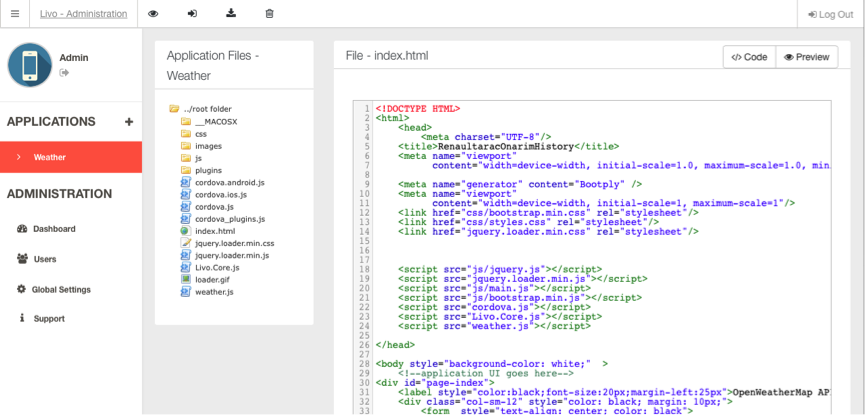
To access web console please use below URL.
URL: http://dev.livomobile.com:8080
Company ID: Admin
Company Secret: Admin
Now select Weather app and open index.html. Do some HTML changes in the IDE and preview it. Now deploy it by using deploy icon at the top of the IDE. And then exit from mobile app and re-enter. The app should download the changed file from middleware.
Middleware Integration
Currently we do service integration manually in the middleware. You cannot see or manage it. We’ll make it available to you in next version.
Check weather.js to see how you can fetch weather data by using Livo server.
Please contact us if you have any question. info@livomobile.com
